 denpasoft
Now in beta
The Denpasoft app
A desktop app for your Denpasoft library. Download and install your visual novels on your PC, then reach them from your phone to start a download or stream a game while you're away. It's free, and it's built so you actually own what you buy.
Windows desktop · companion web app · free, forever
What the app does
Download your games, keep your saves, and pick up where you left off. The everyday things, done properly.
-
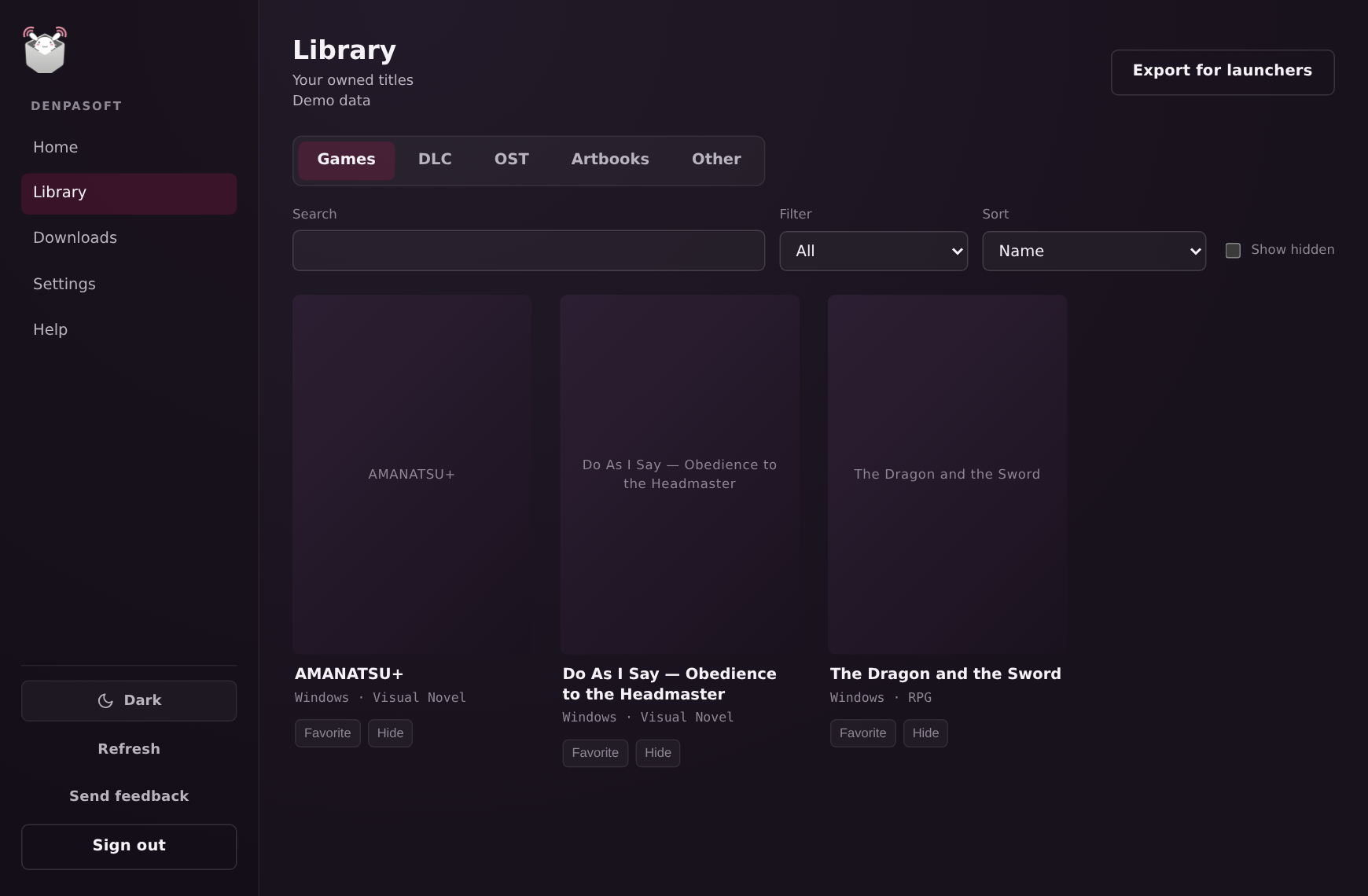
Download & install in one place
Your downloads resume if the connection drops, and every file is checked before it installs. Pause one, come back later, and the app keeps track of what you own.
-
Your whole library, organized
Continue Playing puts your most recent game one click away. Playtime adds up across titles, and when a drive fills up you can install the next one to another drive.
-
Encrypted cloud saves
Your saves sync between your devices. They're encrypted on your own machine with a recovery phrase only you hold, so we can't read them. Keep the phrase safe; it's the only key.
-
Sign in without a password
Pair the app to your Denpasoft account from the web in one tap. You never type your password into the app, and you can unpair a device whenever you want.
-
Already downloaded? Import it
Already have the files on your disk? Point the app at them and it checks them and adds them to your library. No downloading what you already have.
-
Optional Discord presence
Let friends see what you're playing, if you want. It stays off until you turn it on, and you choose per title whether to show the real name or hide it.
Beta
Your PC, wherever you are
Install the web app on your phone and reach your PC from anywhere. Start a download while you're out, or stream a game that's installed at home straight to your screen. It all runs through your own PC, never a cloud server, so your machine needs to be on.
The app is free, forever. Streaming is free during the beta. If it gets expensive to run we may add a paid tier later, but the app itself stays free.
Where it runs
- Windows desktop app
- Remote install from the web
- Mobile web app (PWA)
- Free, forever
How we keep things safe
Your account key stays on your machine. It lives in your operating system's secure store, not in a file the web layer can read.
Only you can read your saves. They're unlocked by your recovery phrase. Not us, not anyone who gets hold of the files.
Every download is checked. Files are verified before they install, so what you run is exactly what we shipped.
Under the hood
The app is a small native core written in Rust (Tauri), with the same Astro and Cloudflare stack as the storefront for the interface. Here's what's inside, and why it matters for your library and your privacy.
-
Tauri + Rust core
A small, native core — not a heavy Electron shell. The sensitive work happens in Rust, not the web layer.
-
AES-256-GCM encryption
Your cloud saves are encrypted on your own machine before they ever leave it.
-
A recovery phrase only you hold
Your save key is derived from a recovery phrase that lives only with you — write it down once, and you're the only one who can unlock your saves. Your key, not ours.
-
OS-backed credential vault
Your login lives in the operating system's secure store, never in a plain file on disk.
-
SHA-256 verified downloads
Every file is checksum-verified before it installs, so what you run is exactly what we shipped.
-
WebRTC streaming
Your PC streams straight to your device — through your own machine, not a middleman.
On the roadmap
Your library shouldn't be locked in. We're building on open metadata, so your Denpasoft titles can show up and launch inside other launchers you already use. Here's what we're working toward.
- Researching
Playnite
List and launch your Denpasoft titles inside Playnite, next to your Steam, GOG, and Epic games.
- Researching
Steam shortcuts
Add titles to your Steam library and Big Picture so they launch from the same place as everything else.
- Researching
Lutris (Linux)
One-click install scripts so Linux players can grab a title straight from Lutris.
- Researching
Linux app
A native Linux build, with compatibility layers (Proton-GE) for Windows-only titles.
- Researching
macOS app
Mac support, with a compatibility layer for Windows titles where it's needed.
- Researching
Open launcher metadata
Documented deep links and per-title manifests so any launcher — not just these — can list and launch your library.
Everything here is exploratory. It's all still TBD — early research, not built, committed, or scheduled, and each would need real research and implementation before it's real. What ships, and when, may change. Want to nudge something up the list? Tell us in the Discord.
Frequently asked questions
Is the app free?
Yes — the app is free, forever. Streaming is free during the beta; as it grows we may add a paid tier to keep it sustainable, but the app itself stays free.
Which platforms does it run on?
A Windows desktop app today, plus a companion web app (PWA) you can use from your phone or tablet to install to your PC and stream from it.
Is there a Mac or Linux version?
Not yet — the app is Windows-first right now. We're listening to what the community wants, so the Discord is the best place to tell us.
Do I need to be online to play?
Right now, yes — launching a game needs you signed in. Fully offline play, where an installed title runs with no connection at all, is something we're building. It's coming soon.
Do I have to re-download games I already own?
No. Your whole Denpasoft library is right there, and if you already have the files on your disk you can import them instead of downloading again.
Can you read my cloud saves?
No — your saves are end-to-end encrypted with a recovery phrase only you hold. Keep that phrase somewhere safe: if you lose it, the saves can't be recovered (that's the trade-off for us never being able to read them).
Is the streaming like cloud gaming?
No — it streams from your own PC, not our servers. Your machine runs the game and sends the video to your phone or browser, so you'll want your PC on and a solid connection.
How do I sign in?
You pair the app to your Denpasoft account from the web in one tap — your password is never typed into the app, and you can unpair a device anytime.
Is it safe to install during the beta?
The Windows installer isn't code-signed yet, so SmartScreen may warn you the first time — that's normal for a brand-new app, and signing is on the way. Hit a bug? The Discord is the place to flag it.
Still have a question? Ask in the Discord; we're around.
Get in early
The app is in open beta. Join our Discord to grab a build, report bugs, and help shape where it goes next.
Join the Denpasoft Discord
Come chat with us and other fans about the latest releases and more in our official server!